
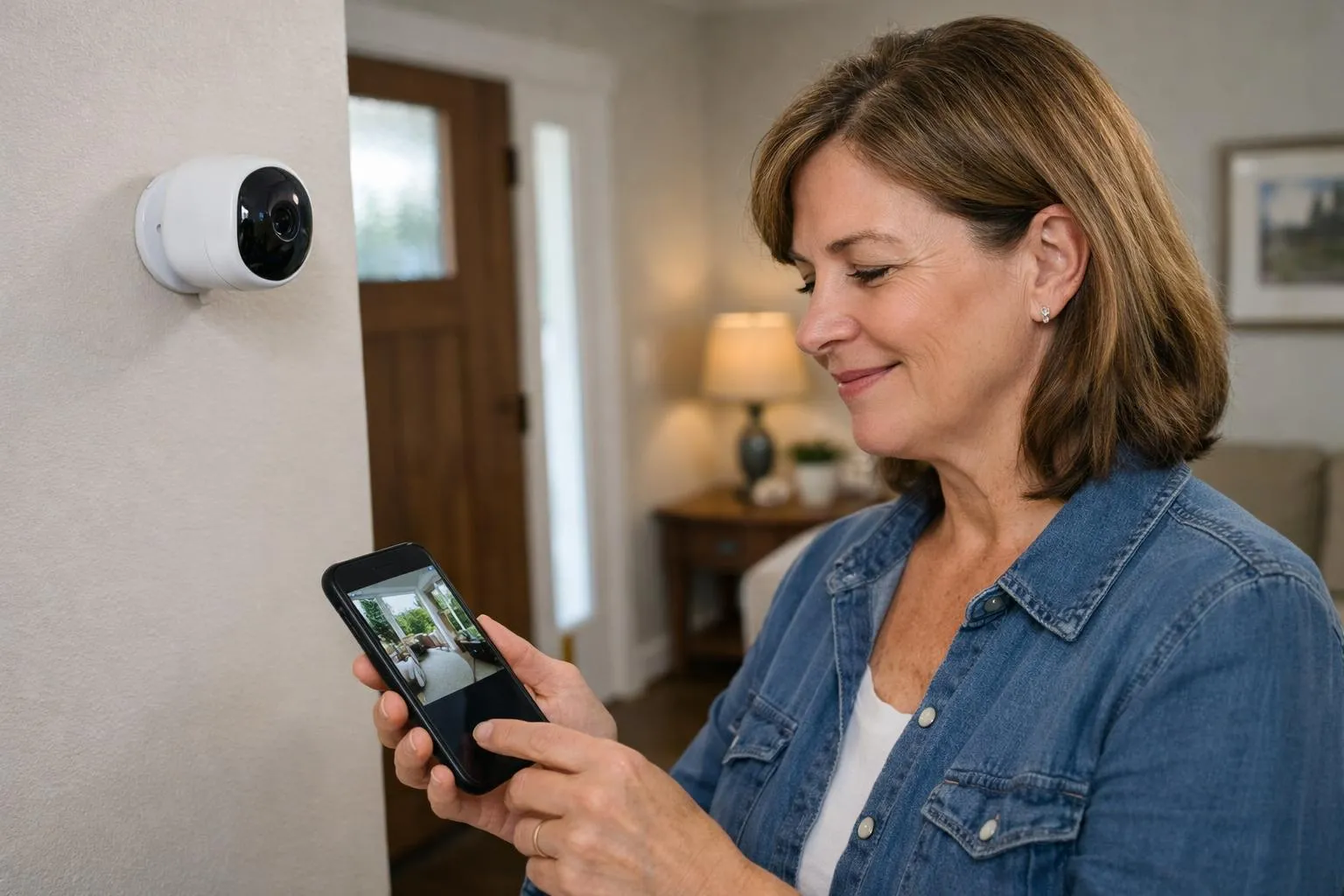
Home monitor cameras in 2026 combine AI-powered detection, local storage, and two-way audio to cover every entry point, starting with your front door.
- AI motion detection now distinguishes people, vehicles, and animals, cutting false alerts dramatically
- Choose cameras with local storage or end-to-end encryption if cloud privacy concerns you
- The right setup covers blind spots most burglars exploit within the first 90 seconds of entry
Most break-ins are over before a neighbor even notices, and the camera that could have caught it was pointed at the wrong wall.
Home monitor cameras have moved well beyond passive recording. The 2026 generation brings on-device AI that recognizes faces, flags unfamiliar vehicles, and sends targeted alerts rather than drowning you in motion-triggered noise every time a leaf blows past.
For homeowners serious about physical security, the market has never offered more capable tools, or more ways to buy the wrong one. Resolution, field of view, night vision range, and subscription costs vary wildly across models that look nearly identical on the shelf.
The single most useful thing this guide delivers is a clear verdict on which home monitor cameras actually perform under real conditions, plus the three specs that separate genuinely protective hardware from expensive plastic.
How We Picked the Best Home Monitor Cameras
We evaluated dozens of home monitor cameras against five hard criteria: resolution, AI capabilities, privacy compliance, smart home integration, and real-world installation complexity. Not every camera that scores well in a lab performs in a Houston driveway at 2 a.m.
Our shortlist reflects both spec-sheet performance and practical reliability.
The 5 Features That Separate Good Cameras from Great Ones
- Resolution: 1080p covers most households adequately; 2K delivers a meaningful upgrade for identifying faces or license plates without overwhelming standard Wi-Fi bandwidth.
- AI detection: Object recognition, behavioral analysis, and person vs. pet differentiation are now standard on mid-range models, not premium-only extras.
- Privacy compliance: Local storage options and end-to-end encryption are critical differentiators in 2026, as regulatory pressure under frameworks like CCPA intensifies.
- Smart home integration: Compatibility with Alexa, Google Home, or Home Assistant is a deciding factor for connected households.
- Price-to-reliability ratio: Trained-grade hardware outlasts budget alternatives significantly, according to installers with decades of field experience.
Wired vs. Wireless: Which Setup Actually Fits Your Home?
Wired systems offer uninterrupted stability and suit larger installations covering four to sixteen cameras. Wireless models, however, dominate consumer preference at 68%, because flexible placement matters more than marginal connection stability for most single-family homes.
Battery and solar-powered options are the fastest-growing power segment, projected at a 15.28% CAGR through 2031, making wire-free setups increasingly practical even for permanent outdoor coverage.
7 Top-Rated Home Monitor Cameras Worth Buying Right Now
EZVIZ (Hikvision) shipped 4.2 million units in Q1 2025 alone, making it the world’s top-selling security camera brand by volume, according to keyFacts. That kind of market dominance doesn’t happen by accident.
The seven home monitor cameras below were selected based on AI capabilities, verified consumer adoption data, privacy compliance, and real-world installation practicality, covering every scenario from apartment entryways to sprawling suburban perimeters.
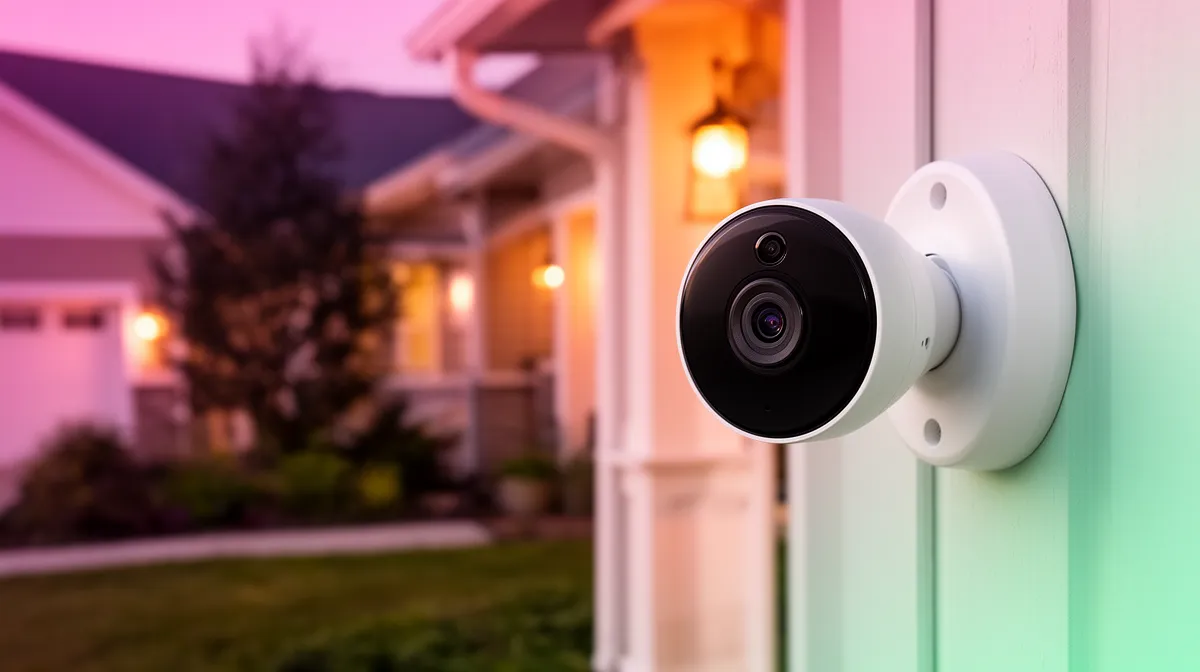
Indoor Cameras, the Best Options for Living Spaces and Entry Points
SimpliSafe Indoor Camera: Best for Intruder Intervention
SimpliSafe tops 2026 security camera rankings specifically for intruder prevention, not just passive recording. Its live agent monitoring triggers real-time intervention, which means a potential break-in gets addressed while it’s happening, not after.
Ideal for households that want professional monitoring without a full wired system. Price range: roughly $100-$150 for the camera, with monitoring plans available separately.
Ring Indoor Cam: Best Entry-Level Option for Renters
Ring holds a significant user-identification share as the dominant security brand in America, and its indoor cam earns that loyalty through simplicity. Setup takes under 15 minutes, 1080p resolution handles standard monitoring needs, and Alexa integration works out of the box.
At under $60, it’s the closest thing to a no-risk first camera for renters or first-time buyers.
Lorex 2K Indoor Camera: Best for Privacy-Conscious Households
Lorex stands out by offering local NVR storage alongside cloud options, which matters because consumers often worry about unauthorized access to their footage. Local storage eliminates that concern entirely.
The 2K resolution exceeds the 1080p baseline that still represents a significant portion of the market, delivering noticeably sharper identification of faces and objects near entry points.
Outdoor and Doorbell Cameras, Protecting Your Perimeter
ADT Outdoor Camera: Best for Weatherproof Reliability
ADT’s outdoor cameras carry IP65-rated weatherproofing and color night vision, addressing the needs of many shoppers who prioritize outdoor coverage above all else. In practice, color night vision at dusk outperforms standard infrared by preserving clothing and vehicle color, the details that matter most for police reports.
Ring Video Doorbell Pro: Best Doorbell Camera Overall
Wireless or smart-enabled models are the fastest-growing segment, driven primarily by package-theft deterrence. Ring’s Pro model adds pre-roll recording and head-to-toe video framing, capturing full-body footage rather than just faces.
With 58.9 million Americans already owning video doorbells, this category has shifted from optional to expected.
EZVIZ DB2 Pro: Best Budget Doorbell Camera
For under $80, the EZVIZ DB2 Pro delivers 2K resolution, AI person detection, and two-way audio. That combination costs roughly the same as two months of a streaming subscription, yet provides round-the-clock perimeter awareness.
Its edge AI processing handles motion analysis locally, reducing false alerts without burning through cloud bandwidth.
Vivint Outdoor Camera Pro: Best Premium AI Option
Vivint’s flagship outdoor camera uses on-device AI to distinguish between people, vehicles, and pets in real-time, which is precisely what users already leveraging person/package detection have come to expect as a baseline. At the $150-$300 premium range, the accuracy gains justify the cost for households where false alerts from cheaper models have already caused alert fatigue.
Why It Changes Everything
From Reactive Surveillance to Predictive Security
The home security camera market is projected to surge from $9.98 billion in 2024 to $56.47 billion by 2033 at a 21.7% CAGR, and that growth isn’t driven by better lenses. It’s driven by AI.
Modern home monitor cameras no longer just record what happened. They analyze what’s about to happen, flagging unusual behavioral patterns before a threat escalates.
Think of it as the difference between a dashcam and a co-pilot.
The mechanism behind this shift is edge AI processing: cameras now run threat-detection algorithms locally on the device, reducing response latency to milliseconds without depending on a cloud round-trip. Behavioral analysis can distinguish a regular mail carrier from someone lingering near your front door.
Facial recognition separates residents and known visitors from strangers. The result: 87% of camera owners report increased peace of mind, because the system is genuinely learning their household, not just watching it.
Critically, AI filtering solves the notification fatigue problem that plagued earlier systems. Leaves blowing, shadows shifting, a cat crossing the yard, older cameras triggered alerts for all of it.
AI-driven analytics filter these out, sending alerts only when a real person or vehicle is detected. In practice, that means fewer false alarms and faster response to genuine threats.
Which Cameras Play Nicely with Your Smart Home Ecosystem?
Integration matters as much as image quality. Cameras compatible with Alexa and Google Home allow voice-triggered monitoring and automated routines, motion detected at the front door can instantly trigger porch lights, lock smart deadbolts, or push a live feed to your TV.
For Home Assistant users specifically, Real Link and UniFi cameras are cited by experts for excellent compatibility, giving DIY-focused homeowners granular local control without cloud dependency.
- SimpliSafe: Top-rated for 2026 with built-in Intruder Intervention and DIY setup
- ADT: Strong professional monitoring integration across smart home platforms
- Ring: Dominant Alexa ecosystem fit, with 43% brand recognition among US households
Lotsvia.com tip: Place your AI-let camera on a dedicated VLAN separate from other smart home devices, this isolates any potential breach and keeps your broader network protected even if one device is compromised.
What Camera Brands Won’t Tell You Before You Buy
The sticker price is rarely the real price. Most home monitor cameras are marketed with a headline cost that conveniently omits the subscription fees, installation charges, and hidden infrastructure requirements that surface only after unboxing.
Knowing these traps before you buy saves real money and genuine frustration.
The Hidden Costs Most Buyers Discover Too Late
Nearly every major brand advertises “free” cloud storage, but that window typically covers only 24 to 72 hours of footage. Access to full recording history requires a paid subscription that can run $100 or more per year, per camera.
Multiply that across a four-camera system and you’re looking at $400 annually, a cost that never appears on the product listing. Wired professional setups carry their own surprise: installation labor commonly adds $200 to $500 to the total project cost.
Resolution is another quiet budget killer. Experts confirm that 2K or 1080p streams effectively over standard Wi-Fi for most households, yet 4K cameras are growing at a 15.81% CAGR as manufacturers push premium models.
The catch? High-resolution streams can saturate a standard router, causing dropped feeds and lag across every connected device in the home.
Data Privacy Risks Buried in the Fine Print
Some budget brands route video through overseas servers, and the terms of service rarely highlight where your footage actually lives. The industry is responding to pressure: regulatory frameworks including CCPA are forcing manufacturers toward local storage options and end-to-end encryption.
Demand both features as non-negotiable before purchasing.
- Firmware updates are typically discontinued after two to three years, leaving cameras with unpatched security vulnerabilities
- Audio recording rules vary sharply by state; California requires all-party consent under Penal Code 632
- AC-powered devices hold 71.20% of market share, but battery and solar models avoid wiring costs entirely
The smartest purchase decision starts with total cost of ownership, not shelf price.
How to Place Home Monitor Cameras for Maximum Coverage
Most homeowners install cameras where they feel comfortable, not where burglars actually enter. That single mistake leaves the most vulnerable spots completely unprotected.
Strategic placement across four distinct zones is what separates a genuine deterrent from a false sense of security.
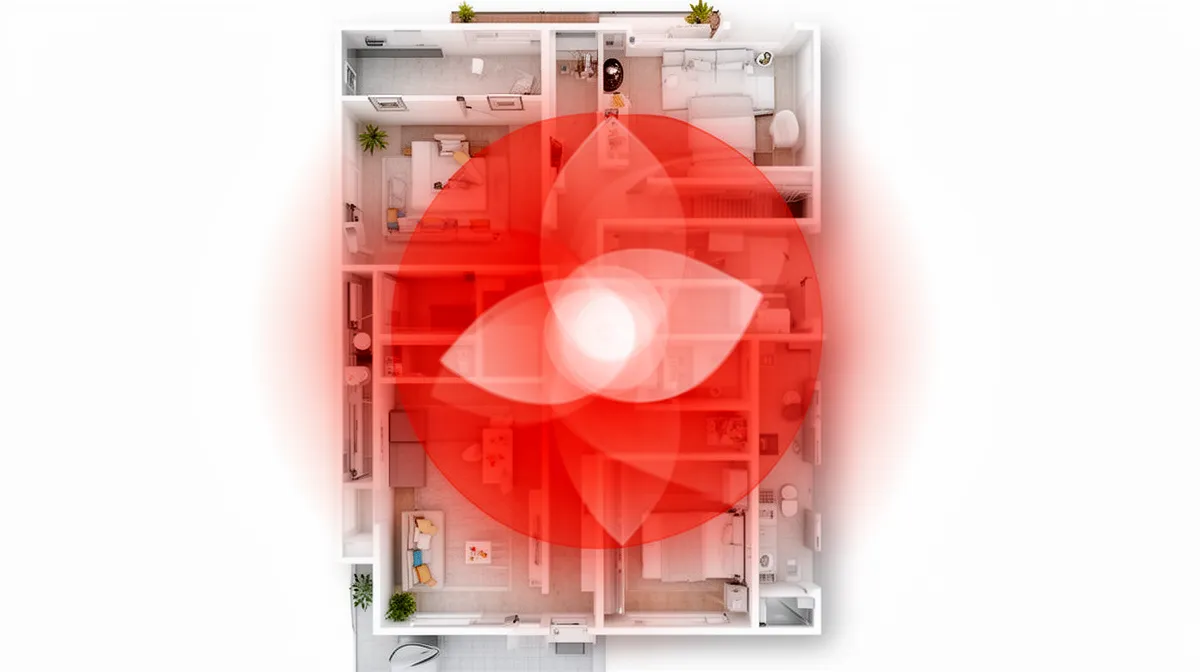
The 4 Zones Every Home Needs Covered
- Front door and driveway: Over 34% of break-ins happen through the front door. A doorbell camera here is non-negotiable, SimpliSafe and Ring both excel at this zone.
- Back door and side gates: Secondary entry points most homeowners overlook entirely. These are the quiet routes burglars prefer precisely because cameras rarely cover them.
- Garage and driveway perimeter: Vehicle theft is among the fastest-rising property crimes in cities like Houston and Chicago. An outdoor bullet camera here pays for itself quickly.
- Main interior hallway or living room: Covers caregiver monitoring, pet activity, and child safety without invading private spaces.
Avoiding the Blind Spots Burglars Count On
Mount every camera between 8 and 10 feet high. Below that threshold, cameras are easy to redirect or disable.
Above it, facial recognition accuracy drops noticeably. Corner mounting at a 45-degree angle with a wide-angle lens delivers up to 180-degree coverage, eliminating the stairwell and hallway gaps that trip up most DIY setups.
Overlap adjacent camera fields of view deliberately. A gap at a corner or fence line is exactly where an experienced intruder moves first.
Also, never point cameras directly into a neighbor’s yard or windows, most US states treat that as a privacy violation, and California’s Penal Code 632 adds audio recording restrictions on top of that.
Your Home Monitor Cameras Buying Checklist Before You Spend a Dime
Most buyers pick a camera first and figure out the details later. That backwards approach explains why 39% of homeowners end up wanting features their system can’t deliver.
Before committing to any brand ecosystem, run through these five questions, they cost nothing and prevent expensive regrets.
5 Questions to Ask Yourself Before Choosing a System
- What’s your primary goal? Deterrence, evidence collection, real-time alerts, or all three? Each priority points to different hardware.
- What’s your true 12-month budget? Factor in cameras, installation, and monthly subscription fees. Many brands charge $10-$40 per month for cloud storage, costs that dwarf the hardware price over time.
- Does your Wi-Fi reach every planned camera location? Wireless models account for 61% of market adoption, but a dead-zone installation is worse than no camera at all.
- What does the brand do with your footage? State-level laws, California’s Penal Code 632 and CCPA among them, impose strict data handling requirements. Verify the brand’s retention and encryption policy before signing up.
- Is this system compatible with your existing smart home devices? Locking into an incompatible ecosystem means replacing everything when you expand.
Indoor vs. Outdoor vs. Doorbell Cameras
| Type | Best For | Must-Have Feature |
|---|---|---|
| Indoor | Family, pet monitoring | Low-light performance + two-way audio |
| Outdoor | Perimeter, driveways | Weatherproofing + wide-angle lens |
| Doorbell | Package theft deterrence | Fast motion wake-up (growing at 15.86% CAGR) |
Lotsvia.com tip: Before purchasing, map your Wi-Fi signal strength at each planned camera mount point using a free app, a weak signal at 9 feet up is the single most common reason home monitor cameras underperform after installation.
Frequently Asked Questions
What is the best home monitor camera for indoor use in 2026?
The honest answer depends on what you actually need. A renter in a studio apartment has very different requirements than a family monitoring multiple rooms across two floors.
That said, the strongest indoor cameras in 2026 combine local storage options with end-to-end encrypted cloud backup, two-way audio, and at least 1080p resolution. Prioritize cameras that work without a mandatory subscription, since ongoing fees add up fast.
Do home monitor cameras work without Wi-Fi?
Some do. Cameras with local SD card storage or those connected via ethernet can record footage without any Wi-Fi connection at all.
However, you lose remote viewing, motion alerts, and cloud backup the moment your network goes down. For true offline resilience, look for cameras with onboard storage and consider a cellular backup option for your router.
It’s a detail most buyers skip until the first outage.
How much do home security camera systems cost per month?
Ongoing costs range from nothing to roughly $30 or more per month, depending on whether you choose local storage or cloud monitoring plans.
Many cameras offer free basic storage with limited clip history, while premium tiers access longer recording windows and advanced features like facial recognition. The hardware itself is a one-time cost.
Where budgets quietly balloon is the subscription side, so read the fine print before committing to any ecosystem.
Can home monitor cameras be hacked, and how do I prevent it?
Yes, they can, and it happens more often than manufacturers like to admit. Default passwords, outdated firmware, and cameras exposed directly to the internet are the three most common entry points.
Change the default password immediately after setup. Enable two-factor authentication if the camera supports it.
Keep firmware updated automatically when possible, and place cameras on a separate network segment or guest Wi-Fi so a compromised device cannot reach your computers or phones. According to CISA’s guidance on device security, strong unique passwords remain the single most working defense against unauthorized access.
What resolution do I need for a home security camera?
1080p is the practical floor for indoor use in 2026. It gives you enough detail to identify a face or read a package label without destroying your storage budget.
2K and 4K options exist and are worth it near entry points like front doors, where you genuinely need to capture fine detail. For hallways or interior rooms where you mainly want motion detection, 1080p is more than sufficient.
Higher resolution also means larger file sizes, so factor in storage costs before jumping straight to 4K across every camera.
Are wireless home monitor cameras as reliable as wired systems?
In practice, the gap has narrowed significantly. Modern wireless cameras handle typical household Wi-Fi conditions well, and battery-powered models have improved to the point where some last six months or more on a single charge.
Where wired systems still win is in high-stakes, always-on scenarios: a front door camera that must never miss a frame, or a setup covering a property where Wi-Fi signal is inconsistent. For most renters and homeowners doing a first installation, wireless is easier to deploy and flexible enough to relocate.
The FTC’s guidance on connected device security is worth reading before finalizing any camera setup, wired or wireless.
The Home Monitor Cameras That Actually Do Their Job Start With the Right Placement, Not the Highest Price Tag
A camera you bought but pointed at the wrong wall is just an expensive piece of plastic.
Start with the two spots most homeowners overlook: the side gate and the interior hallway. Those are where deterrence fails first, and where AI-powered motion detection earns its keep by distinguishing a delivery driver from a loitering stranger at 2am.
When you’re ready to compare specs, storage options, and field-of-view angles side by side, the guides at lotsvia.com break down exactly what separates a reliable home monitor camera setup from one that looks good in a product photo but fails when it counts.
Browse the product comparisons and placement guides on lotsvia.com, pick your priority zone, and build outward from there.
The best security system is the one you actually understand, trust, and use every single day.

Borni Franklin is the founder of LotsHomeGuide and a home security researcher with over 5 years of experience studying real-world burglary patterns, property vulnerabilities, and practical protection strategies. He has tested home security products, analyzed how intruders select targets, and built free tools to help everyday homeowners assess and improve their safety. Every article on LotsHomeGuide is written from hands-on research — not recycled generic advice. Based in the USA. Read full information about Borni Franklin on our About Us page.


Great content! Keep up the good work!